Free iPhone app · Official Red Eléctrica data
Precio Luz España PVPC: Spain's cheapest electricity hour, on your iPhone
The app alerts you before the cheapest hour of the day and brings tomorrow's prices at 20:20. Official data from Red Eléctrica de España. Free, no ads and no sign-up.
- An alert before the cheapest hour, covering the whole stretch when several hours in a row cost about the same.
- Tomorrow's prices at 20:20, as soon as Red Eléctrica publishes them.
- Widgets, Lock Screen, Live Activity and Siri shortcuts.
4.9 out of 5 · 8 ratings on the App Store. Requires an iPhone with iOS 26 or later. No ads, no subscription, no in-app purchases and no account. The App Store listing states «Data Not Collected». The app is in Spanish and covers Spain's PVPC regulated tariff.
No iPhone at hand?
See today's and tomorrow's electricity prices (in Spanish)The same information as the app, in any browser: the 24 hours with their colour, the cheapest hour, tomorrow's prices from 20:20 and the monthly calendar. No sign-up.
Four tabs: Día, Generación, Resumen and Calendario
The app opens on today, and the bottom bar takes you to generation, the summary and the calendar. All of it from the same official source: the PVPC 2.0TD tariff published by Red Eléctrica de España, hour by hour and in €/kWh before taxes.
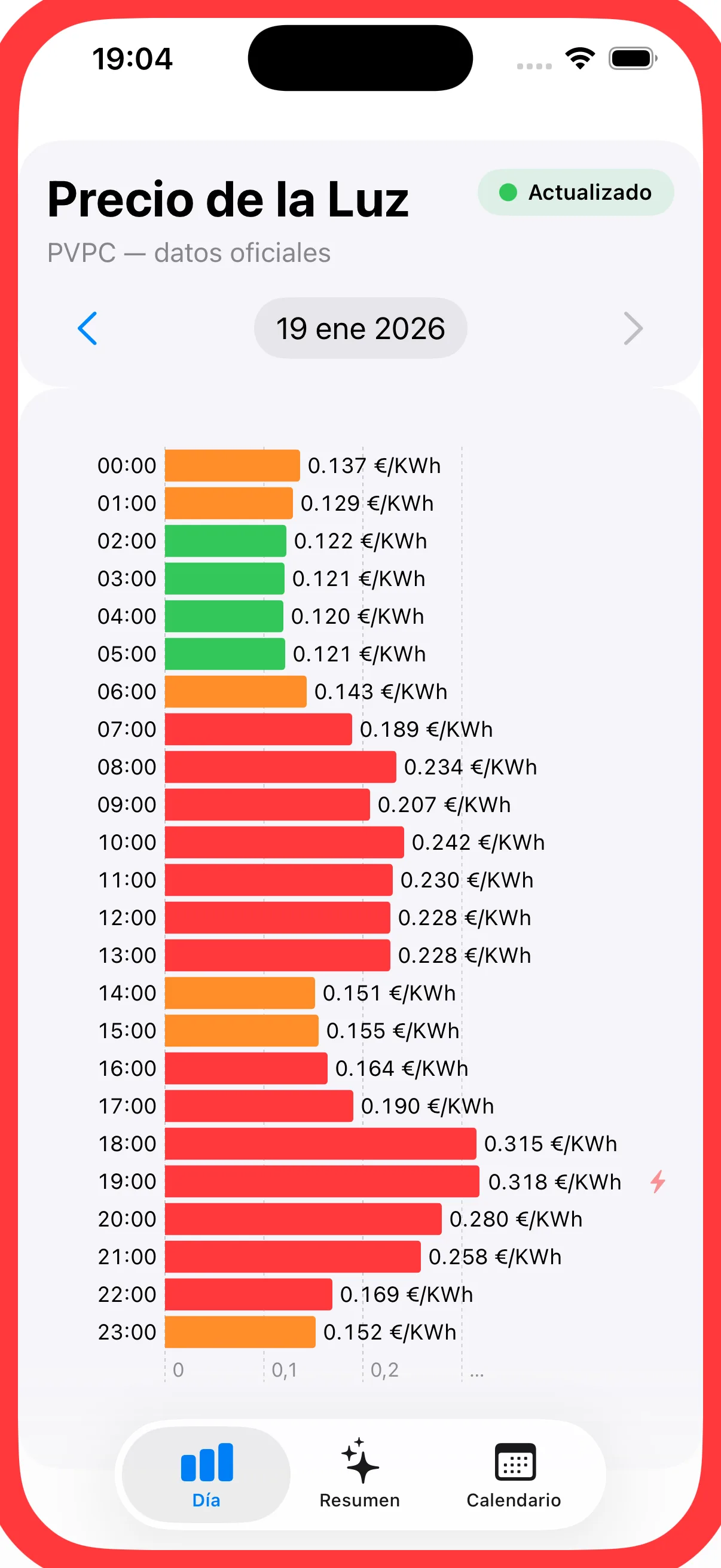
Day tab · Día
The 24 hours of the day, colour-coded
Every hour is a bar: green below 65 % of the day's average, orange up to 85 %, red above it. One glance tells you whether to wait or to start the washing machine now.
- The cheapest and the most expensive hour of the day, highlighted.
- The next opportunity: the best hour still ahead of you.
- Yesterday, today and — from 20:20 — tomorrow as well.
Generation tab · Generación
Where the electricity is coming from right now
The generation mix by technology and the renewable share, from the same official Red Eléctrica data that feeds the rest of the app.
- Breakdown by technology.
- Renewable percentage.
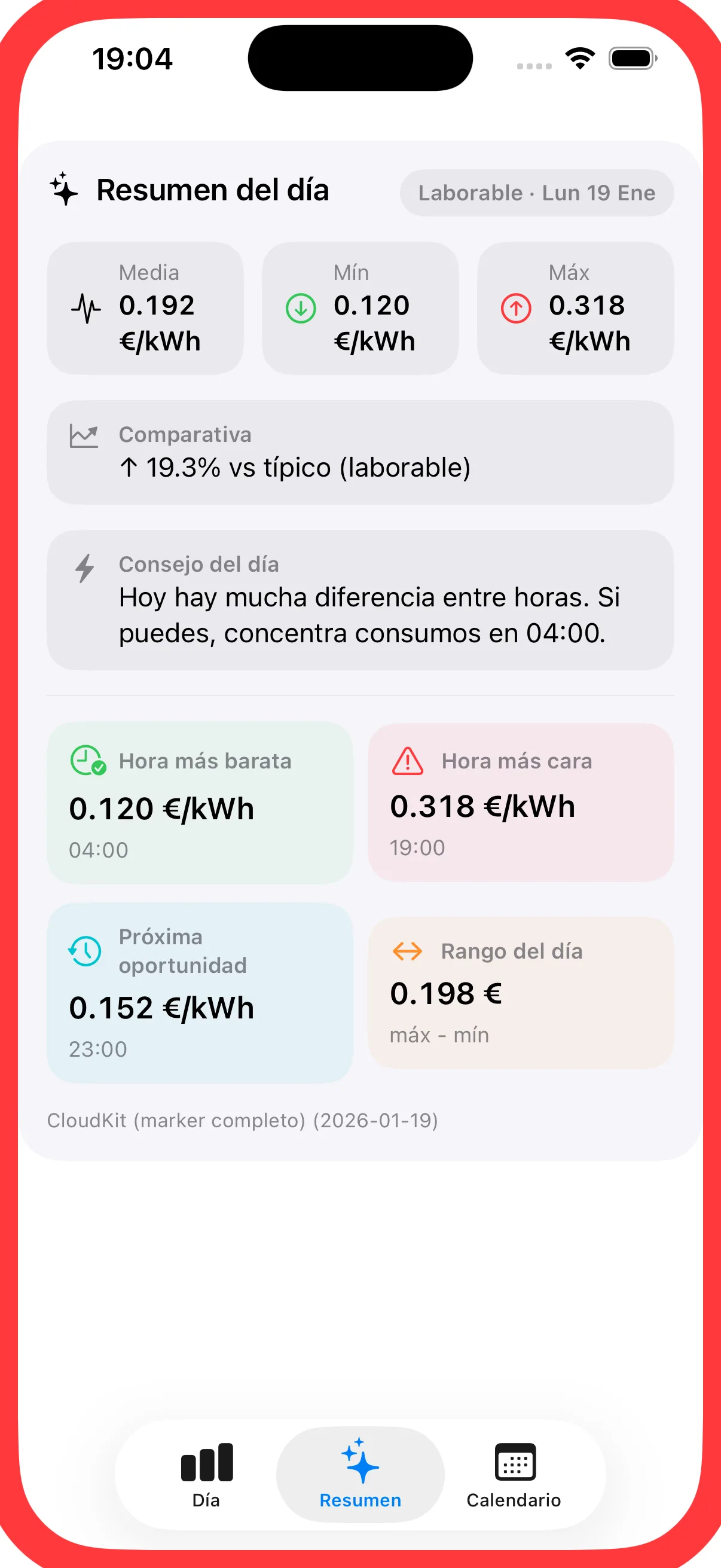
Summary tab · Resumen
Yesterday, today and tomorrow, side by side
The comparison across the three days tells you whether today is expensive or cheap, and the tip of the day sums up what to do with the hours you have left.
- Yesterday, today and tomorrow compared.
- Tip of the day.
Calendar tab · Calendario
The whole month, day by day
The average, minimum and maximum of each day, colour-coded against the previous 30 days. Useful to see whether the week is running expensive, or to pick the day for a long charge.
- Average, minimum and maximum for every day.
- Colours calculated over the previous 30 days.
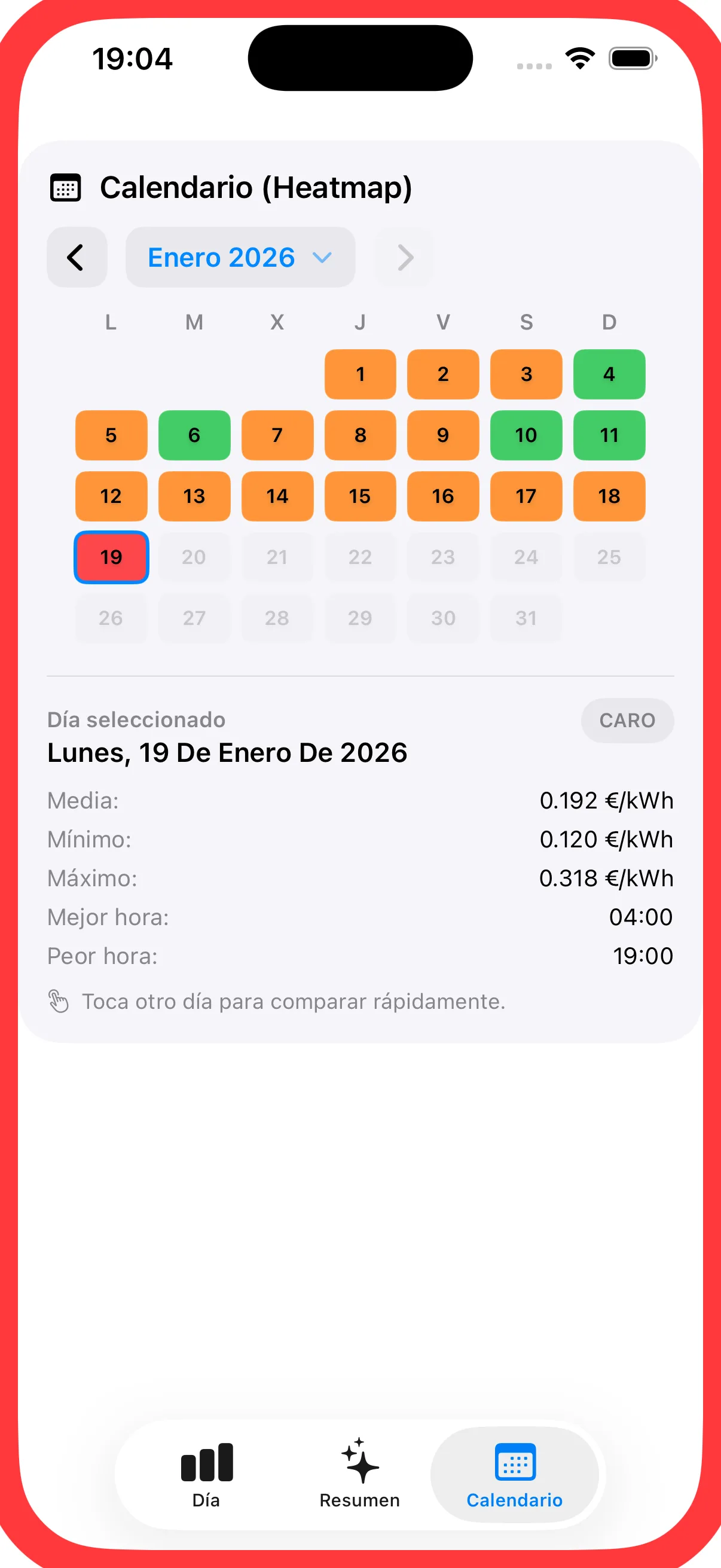
Screenshots of the app. The prices shown are those of the day the screenshots were taken. The app's interface is in Spanish.
Alerts, widgets and Siri
The point of the app is that you never have to open it. Alerts are switched on in Settings and are local iPhone notifications: everything is worked out on the phone itself, with no server and no account.
Alerts
Three alerts, and you pick them
Best hour of the day
Arrives 5, 10, 15 or 30 minutes before the cheapest hour, whichever you prefer. When several hours in a row cost about the same, the alert gives you the whole stretch.
Tomorrow's prices
At 20:20, as soon as Red Eléctrica publishes the next day's prices. You can delay it by up to 40 minutes if you would rather get it later.
One-off bargain
15 minutes before an hour below 0.05 €/kWh, or one far below the day's average.
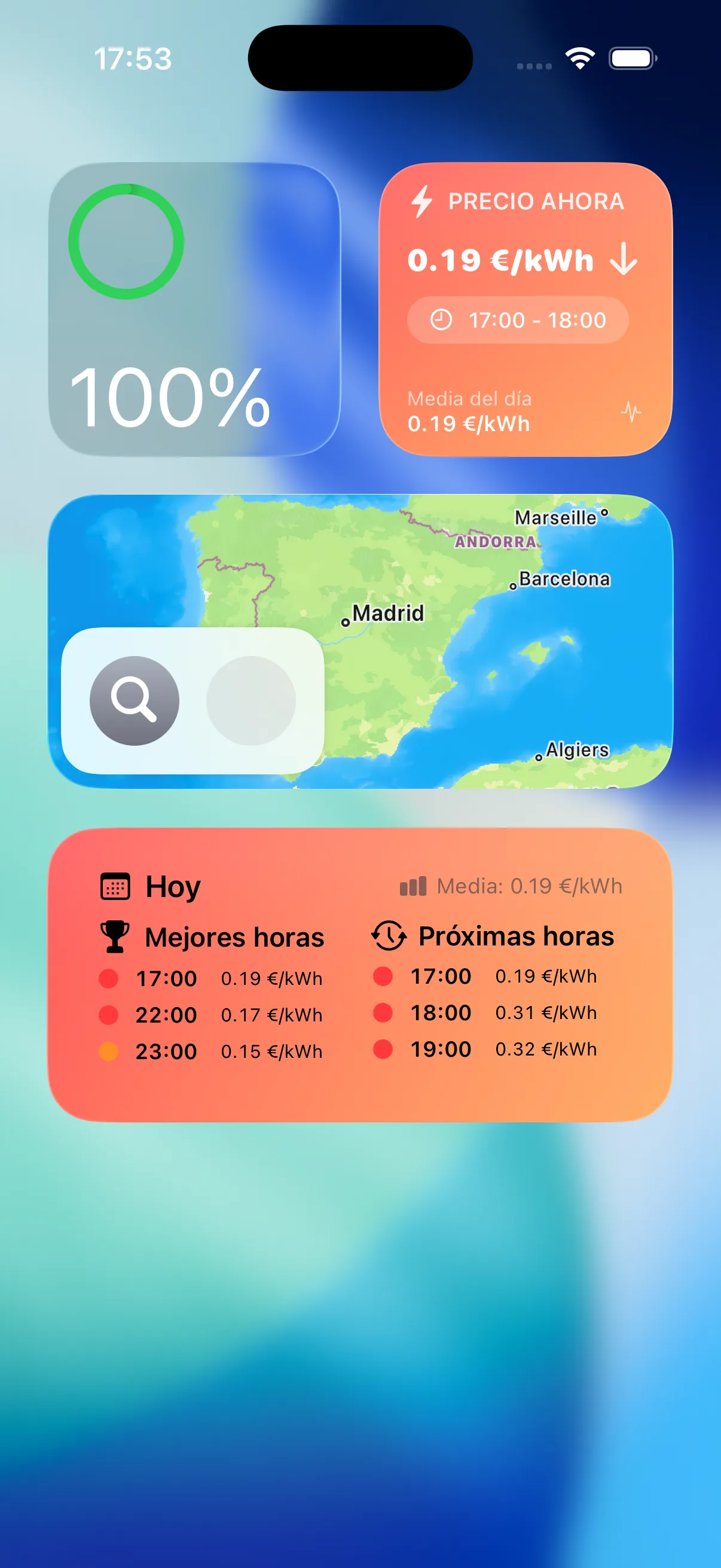
Widgets
The price without opening the app
- Precio ahora: this hour's price, with its colour.
- Hoy — mejores y próximas: the best hours left and the ones coming up.
- 2 h baratas: the cheapest two-hour stretch.
- Lock Screen and StandBy widgets.
- Live Activity and Dynamic Island with the current hour's price and the best hour of the day.
Siri and Shortcuts
«Hey Siri, lavadora barata»
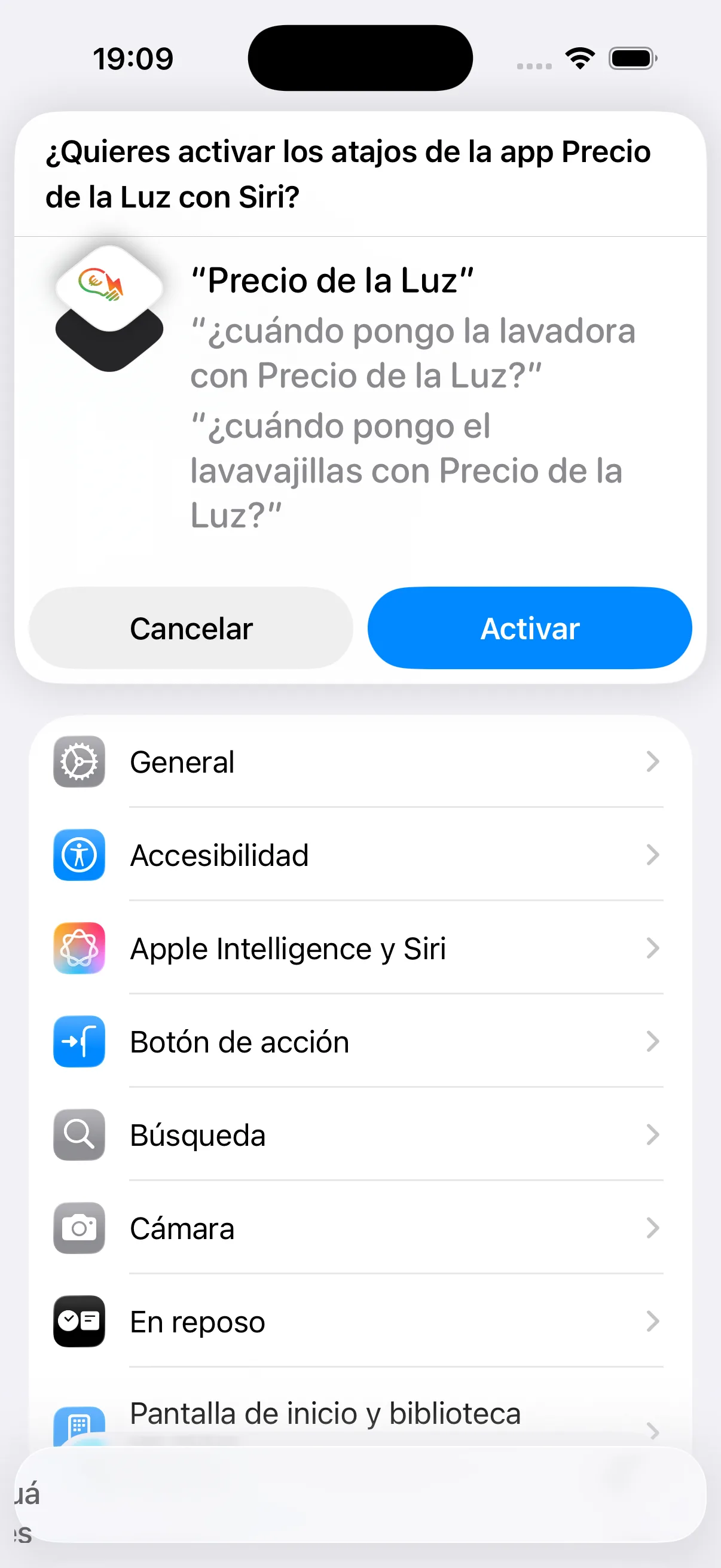
The shortcuts ship with the app: «Lavadora barata» (cheap washing machine), «Lavavajillas barato» (cheap dishwasher) and the price right now.
Siri answers with the best two-hour stretch left today, its average price and how far it sits from the day's average. The shortcuts are in Spanish.
Need documentation?
The FAQ covers how the alerts work, which widgets and shortcuts the app has, and what data it collects. If something is missing, write to us.